
Logging Sessions
Record each session with its topic, notes, fee and a Next Focus reminder that becomes a future nudge.
Every time you see a client, log the session. It builds the history that lives on the client card, feeds the revenue analytics, and powers the follow-up signals.
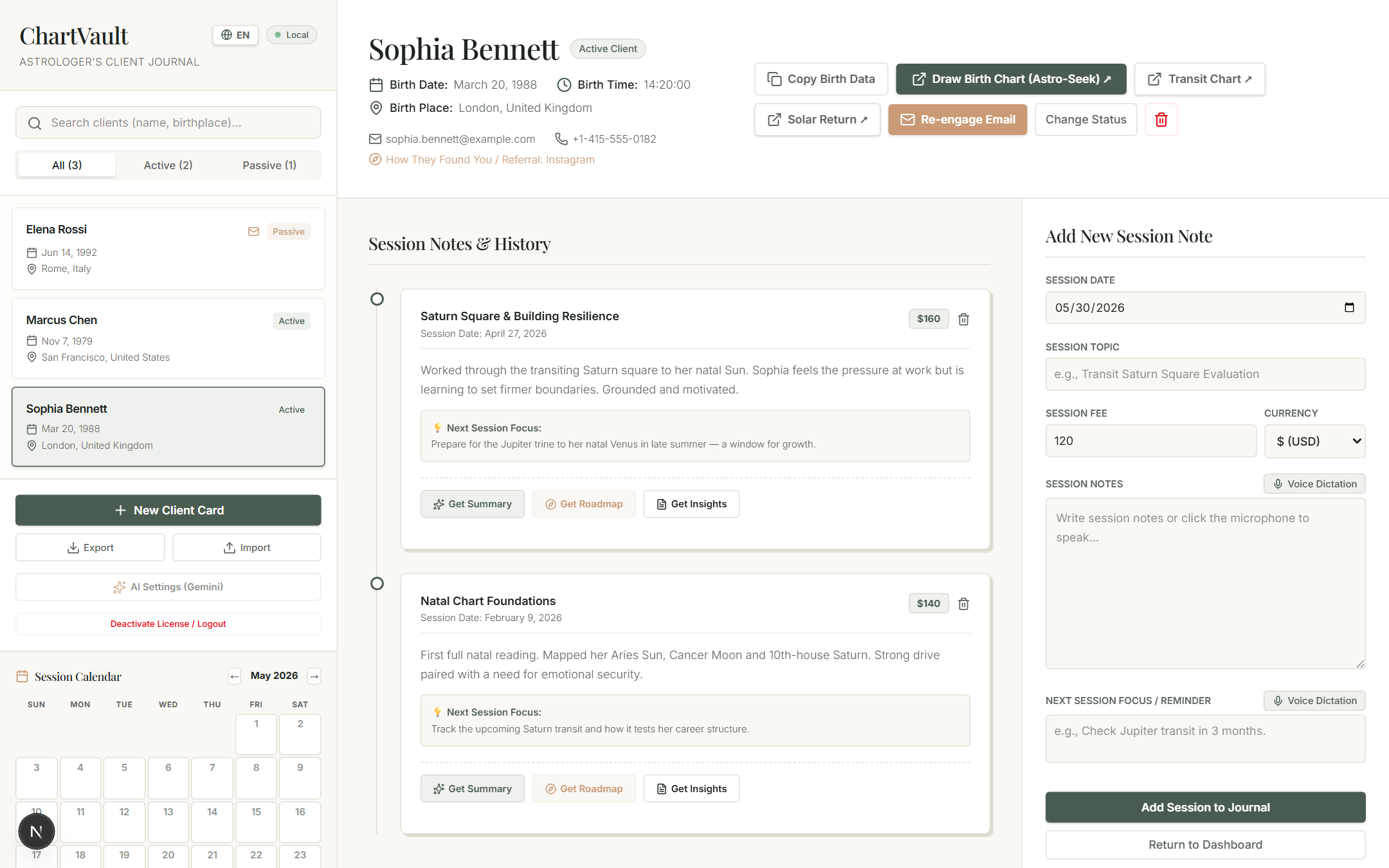
Log a session
From the client card, add a session and fill in:
- Date and (optionally) time.
- Topic — what the session was about.
- Notes — the record of what you discussed. You can dictate these by voice.
- Fee and currency — feeds the revenue totals (18 currencies, each tracked separately).
- Next Focus — what to revisit next time.
Next Focus becomes a future nudge
The Next Focus field is more than a note. When its follow-up window arrives, ChartVault surfaces that client in the opportunity feed as a planned follow-up — so "revisit Jupiter in three months" comes back to you at the right time instead of being forgotten.
You can also have ChartVault suggest a Next Focus from the session note — see AI session tools.
The history is the asset
Logged sessions are what turn ChartVault from a chart program into a practice. They build each client's lifetime value (used to rank outreach), the journey timeline, and the revenue picture — all from one quick entry after each sitting.