
AI Interpretation
Tap ✨ Interpret on any placement, aspect or panel and get a real, chart-specific reading grounded in the computed data — never generic horoscope filler.
ChartVault's AI reads the actual chart. Because it's handed the real positions, dignities, aspects and timing — not just a Sun sign — every reading is specific to the chart in front of you. You bring your own Google Gemini key; nothing is canned.
Interpret a single placement or aspect
- Focus a planet or a single aspect.
- Tap ✨ Interpret.
- ChartVault sends that placement's real data — sign, house, dignity, retrograde (or the aspect's exact orb) — to Gemini and writes a reading in your interface language.
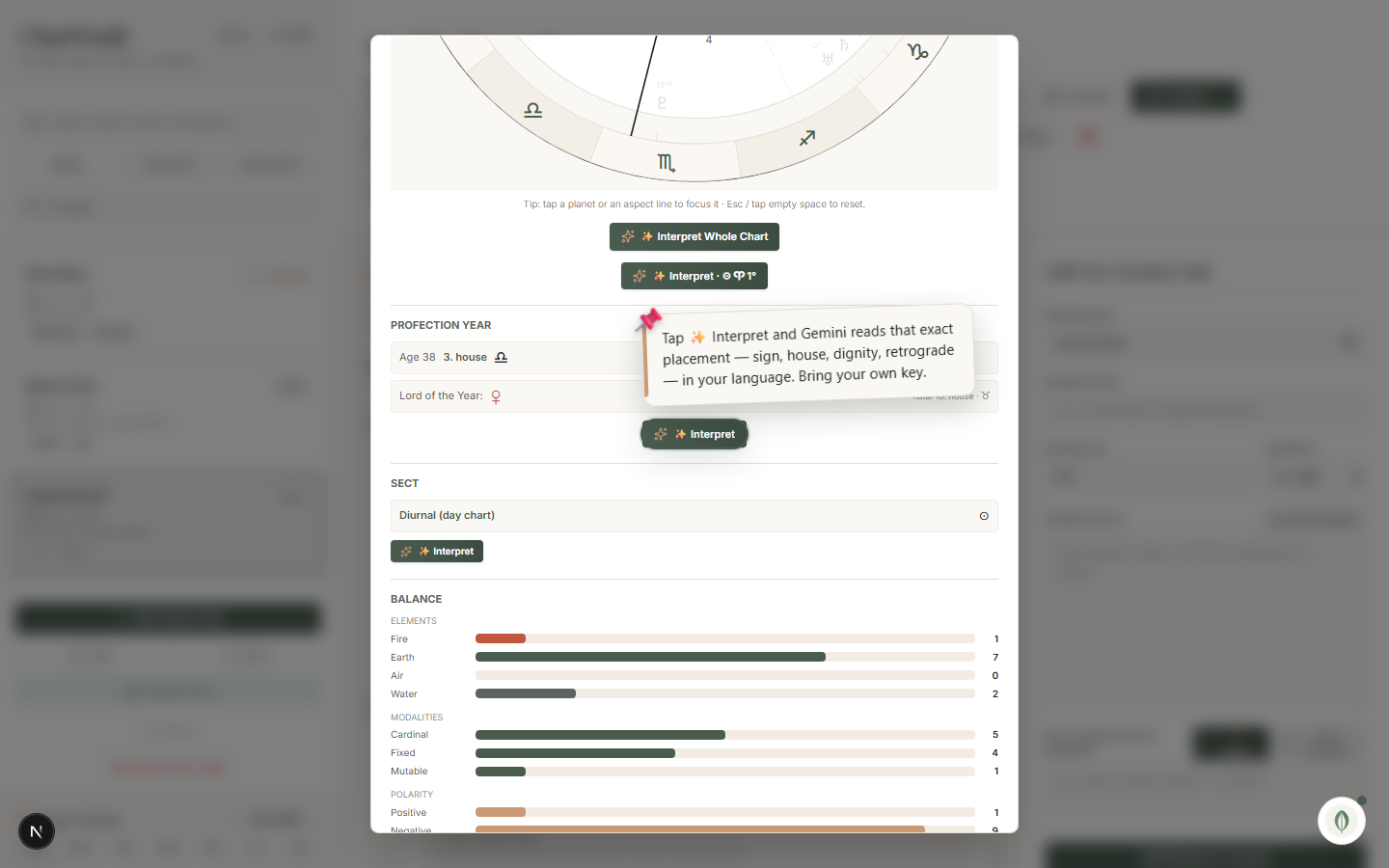
Interpret the whole chart
Tap ✨ Interpret Whole Chart and ChartVault blends the entire chart — placements, tightest aspects, sect, balance, shape and the current profection year — into a single cohesive reading. The profection panel also has its own ✨ Interpret for a focused read of the activated house and the Lord of the Year.
Interpret any panel, any relationship, any timing
An ✨ Interpret button sits on every analysis panel — Sect, Balance, Chart Shape, Points, Declination, Chart Patterns, Aspect Grid, Midpoints, Zodiacal Releasing, Essential Dignities, Fixed Stars and Asteroids/Chiron — and on the relationship and timing charts:
- Synastry reads the couple's cross-aspects.
- Composite is read as the relationship itself.
- Transit / Progressed / Solar-Arc read what the sky is activating now.
Grounded, never generic
Every reading is built only from the chart's real, computed data. The AI turns the app into a second pair of eyes — it does not invent horoscope filler.
Setting up the AI
The interpretation features need a Gemini API key, which is free to obtain from Google. Add it once in Settings. Everything else in ChartVault — every chart, panel and CRM feature — works fully without a key; the ✨ buttons simply stay inactive until you add one.