
Chart Types
Every chart type ChartVault casts natively — natal, transit, returns, progressions, relationship charts, harmonics, relocation and the TimeMap.
All of these are computed and drawn inside ChartVault, offline, and grouped under the Charts ▾ menu on each client card. Bi-wheel types draw a second ring around the natal chart.
Core charts
Natal
The birth chart — the foundation every other chart builds on. Charts ▾ → Draw Birth Chart.
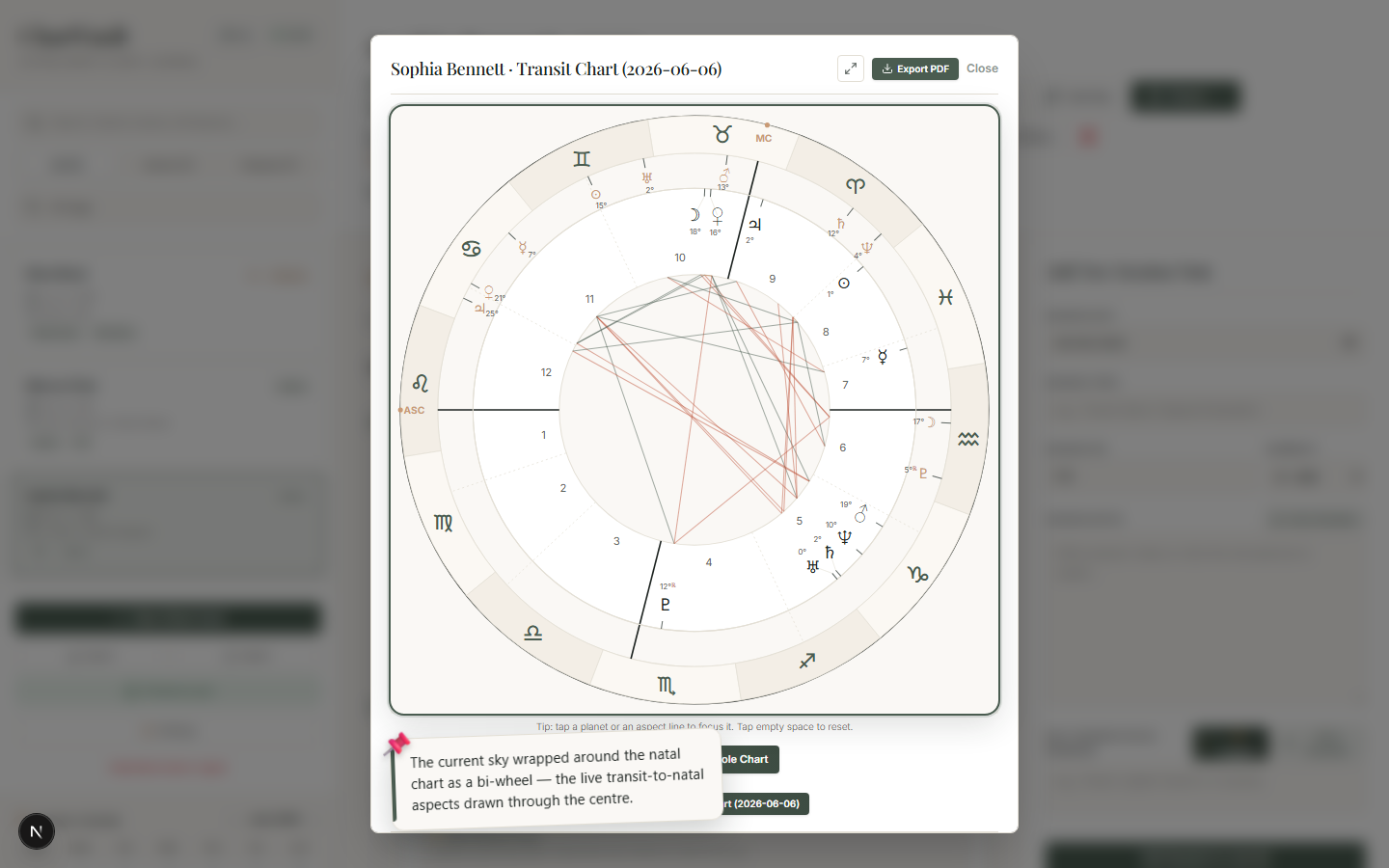
Transit (bi-wheel)
The current sky wrapped around the natal chart, with the live transit-to-natal aspects drawn through the centre. From the opportunity feed, the Chart button opens the transit chart for that opportunity's exact date. Charts ▾ → Transit.
Returns
Solar Return
The chart cast for the moment the Sun returns to its natal position — the client's personal new year. Charts ▾ → Solar Return.
Lunar Return
The chart for the Moon's next return to its natal degree — a monthly cycle. Charts ▾ → Lunar Return.
Directions & progressions
Secondary Progressions (bi-wheel)
The "day-for-a-year" progressed chart over the natal. Charts ▾ → Progressed.
Solar Arc (bi-wheel)
Solar-arc directions — every point advanced by roughly one degree per year. Charts ▾ → Solar Arc.
Relationship charts
These need a second client
Synastry and Composite compare two people, so ChartVault asks you to pick a second client after you choose the type.
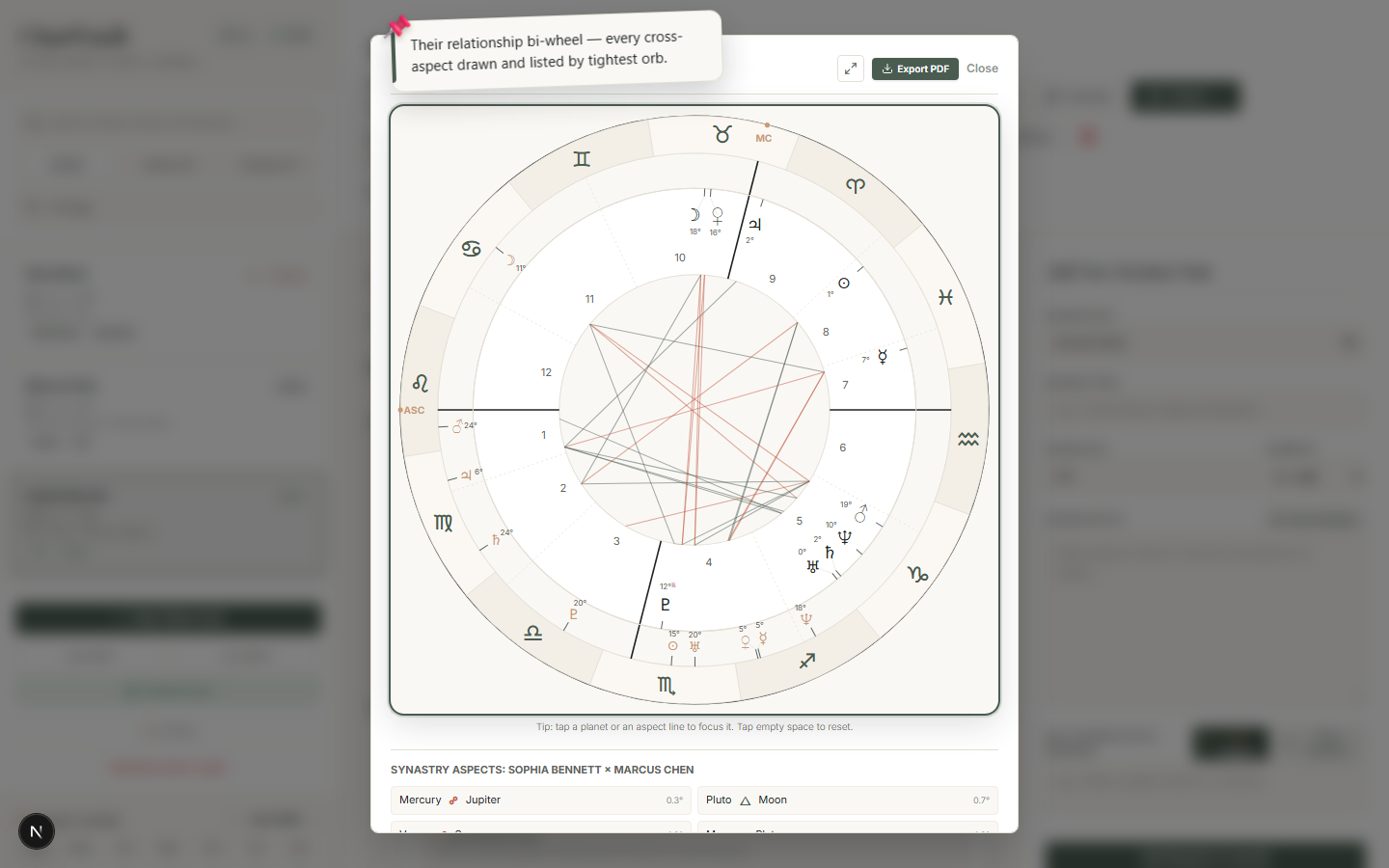
Synastry (bi-wheel)
Pick a second client and ChartVault draws the relationship bi-wheel with every cross-aspect listed, sorted by tightest orb. Charts ▾ → Synastry.
Composite
The midpoint chart — the relationship treated as its own entity. Charts ▾ → Composite.
Specialist charts
Draconic
The zodiac re-zeroed on the North Node — the "soul chart". Charts ▾ → Draconic.
Heliocentric
The planets as seen from the Sun rather than the Earth. Charts ▾ → Heliocentric.
Harmonic (1–32 stepper)
John Addey's N-th harmonic chart, drawn live. Use the stepper to move through harmonics 1–32 and watch the pattern change. Charts ▾ → Harmonic.
Relocation
Recast the birth moment for any city: the angles and houses move to the new location while the planets stay put. You pick the relocation city the same way you pick a birth city. Charts ▾ → Relocation.
Timing view
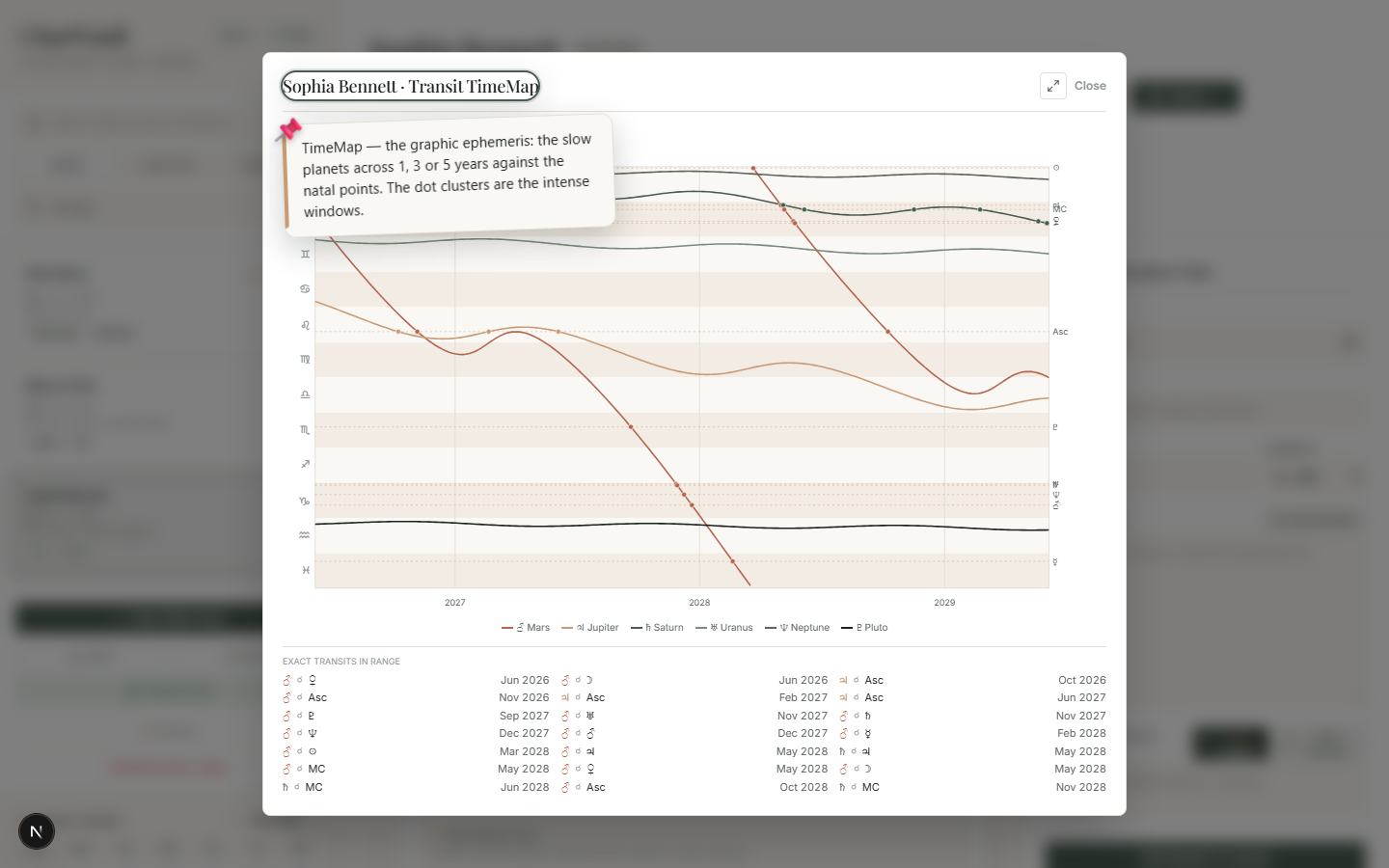
TimeMap (graphic ephemeris)
The slow transiting planets graphed across the next 1, 3 or 5 years against the client's natal points. Dot clusters reveal the intense windows at a glance, and a dated list shows every exact transit. Charts ▾ → TimeMap.
Every one of these charts carries the full set of analysis panels, supports interactive focus, and exports to a one-page PDF. For a quick lookup table of all types, see the Reference.
House Systems
Switch between six house systems in one click — Placidus, Koch, Regiomontanus, Porphyry, Equal and Whole-Sign.
The Analysis Panels
Under every chart sits the full classical and modern toolkit — dignities, aspects, patterns, profection, sect, releasing, fixed stars, asteroids, midpoints and more.