
The Core Loop
The Follow-Up Pipeline
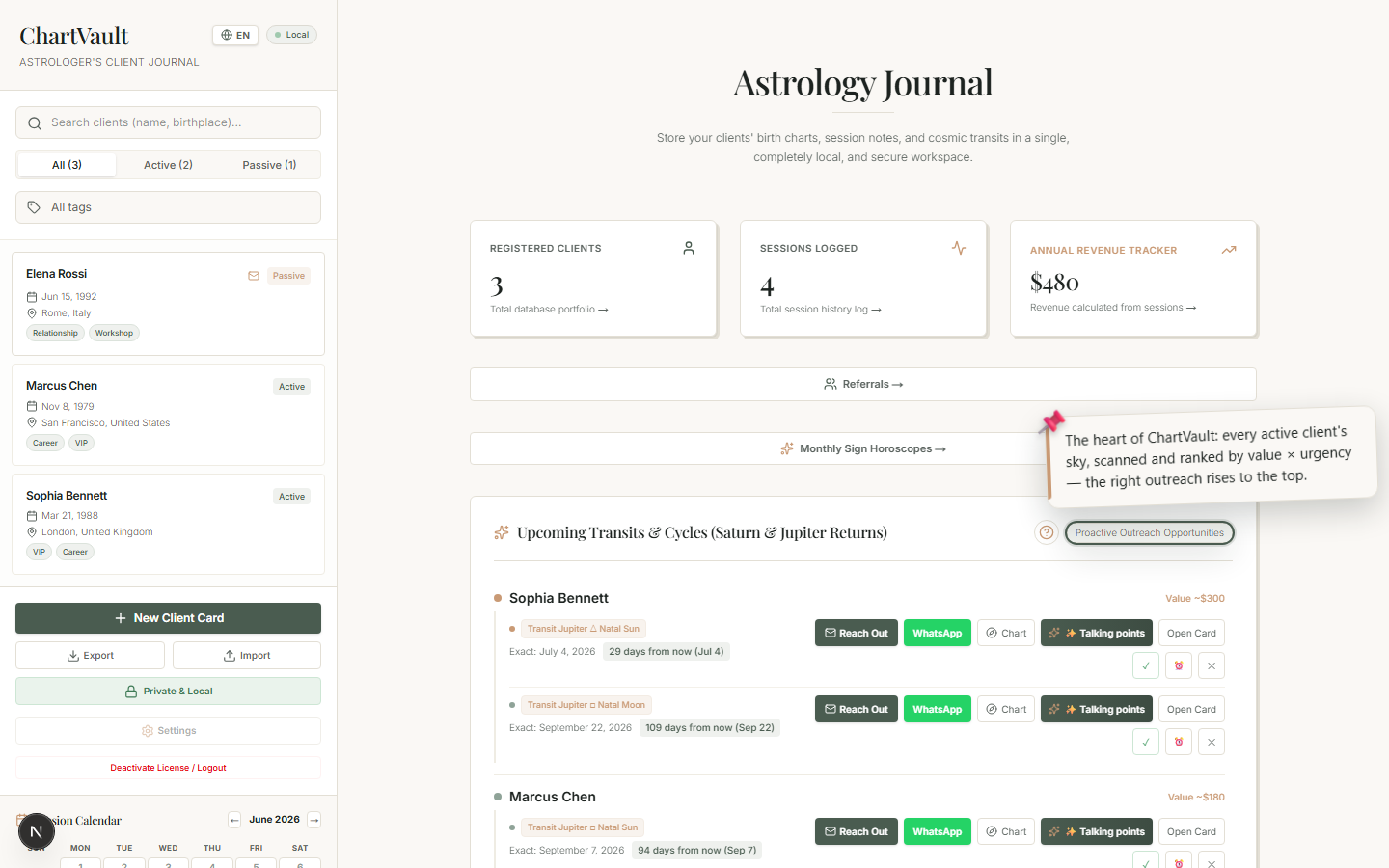
Mark Contacted, Snooze 7 days, or dismiss — so every opportunity is a real task with a state, not a dead notification.
An alert you can't act on is just noise. ChartVault gives every opportunity a real state, so the feed behaves like a lightweight task pipeline.
The three actions
On every feed row:
- ✓ Contacted — mark that you've reached out. The row dims and gains a badge, so you can see at a glance who you've already handled.
- ⏰ Snooze 7 days — not now, but bring it back next week.
- ✕ Dismiss — remove it; you're not going to action this one.
How states persist
- Contacted and snoozed states are stored with the alert, so the feed stays accurate across sessions — a snoozed item reappears after its snooze window, and a contacted item stays marked.
- Dormant and follow-up opportunities (which are computed rather than stored) can be muted, and stay muted for a period so they don't immediately reappear.
Why it matters
Without a pipeline, you'd re-read the same alerts every day and lose track of who you've already messaged. With it, the feed is always a clean, current to-do list: open it, work the top rows, mark them, and you're done for the day.
A loop, not a list
This is what makes it a loop: the feed surfaces opportunities, you act and mark them, and tomorrow it surfaces the next ones — your outreach never piles up and never slips.