
One-Click Email Outreach
The composer pre-picks the right template, fills the exact transit and date into the draft, and sends via Gmail or your mail client.
When you click Reach Out on a feed row, ChartVault opens the email composer with most of the work already done.
The draft writes itself
- The template that matches the transit is pre-selected — a Saturn alert opens the Saturn message.
- The draft already names the exact transit and date (e.g. "…becomes exact on August 12, 2026…") — no generic copy.
- Your signature (your astrologer name) is filled in automatically.
You read it over, edit anything you like, and send.
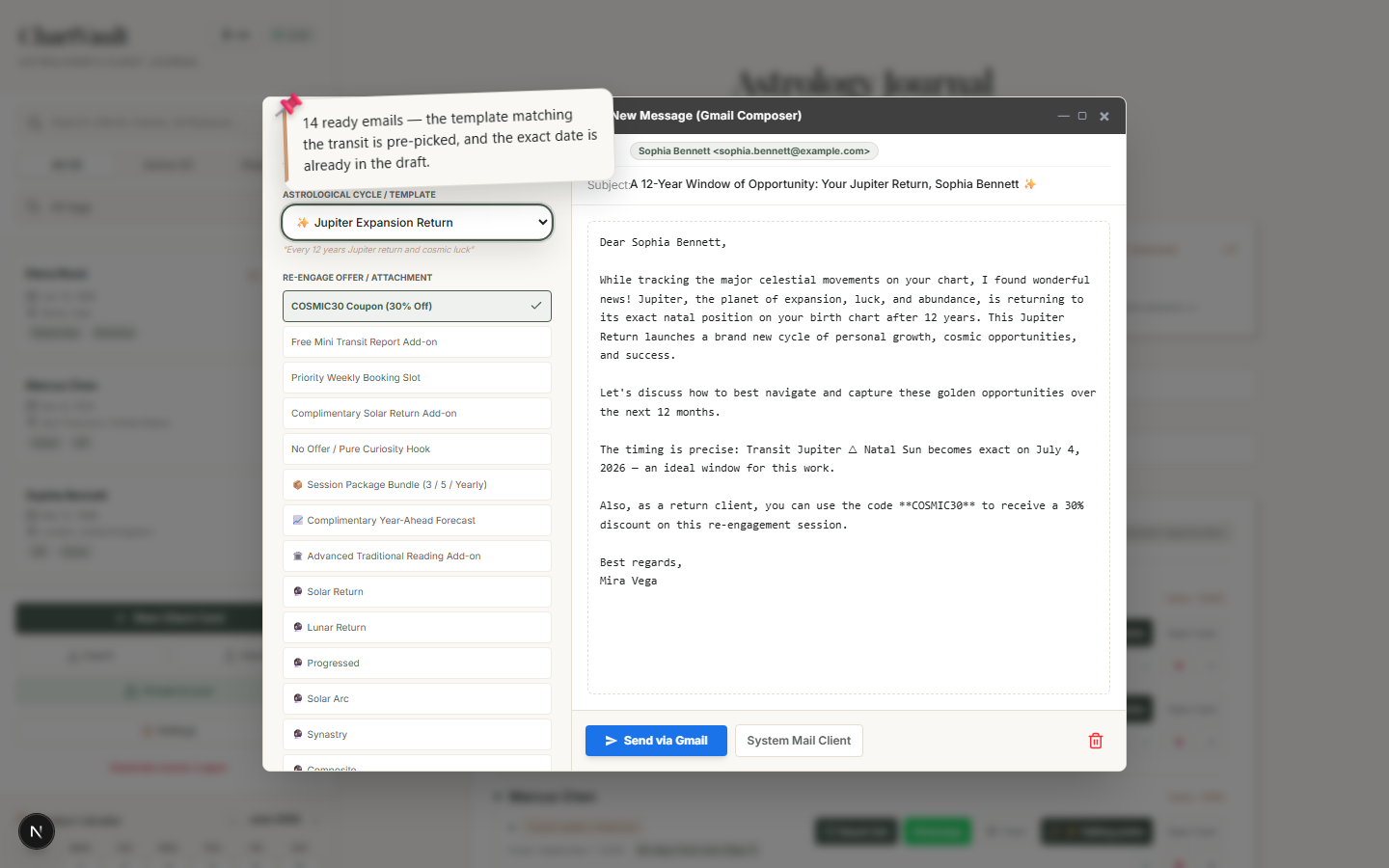
Far more than 14 — templates × offers × the real transit
ChartVault ships 14 base templates, but you rarely send a bare one. Every draft is assembled from three layers, so the number of ready, distinct emails runs well into the hundreds:
- 14 base templates — ten cosmic cycles (Saturn Return, Jupiter, Solar Return, Mercury Retrograde, Uranus opposition, Progressed Moon, Mars, Nodal, Venus–Jupiter, and a general / eclipse note) plus four practice notes (a birthday / Solar-Return greeting, a session-package invitation, an appointment reminder, and a receipt cover note).
- An attached offer — eight ready offers (a coupon, a free mini transit report, a priority booking slot, a complimentary Solar-Return add-on, a pure-curiosity hook, a session package, a year-ahead forecast, or an advanced traditional reading) — or your own custom offer text.
- Automatic personalization — when a transit drives the outreach, ChartVault injects a dated line naming the exact transit and its exact date; for a Solar Return it also weaves in the new profection year — the activated house, sign and Lord of the Year. Your client's name and your signature are filled in too.
That's 14 templates × 9 offer choices = 126 ready combinations before personalization — and once the real transit, date and profection are woven in, effectively every draft is unique to that client and that moment. No generic copy.
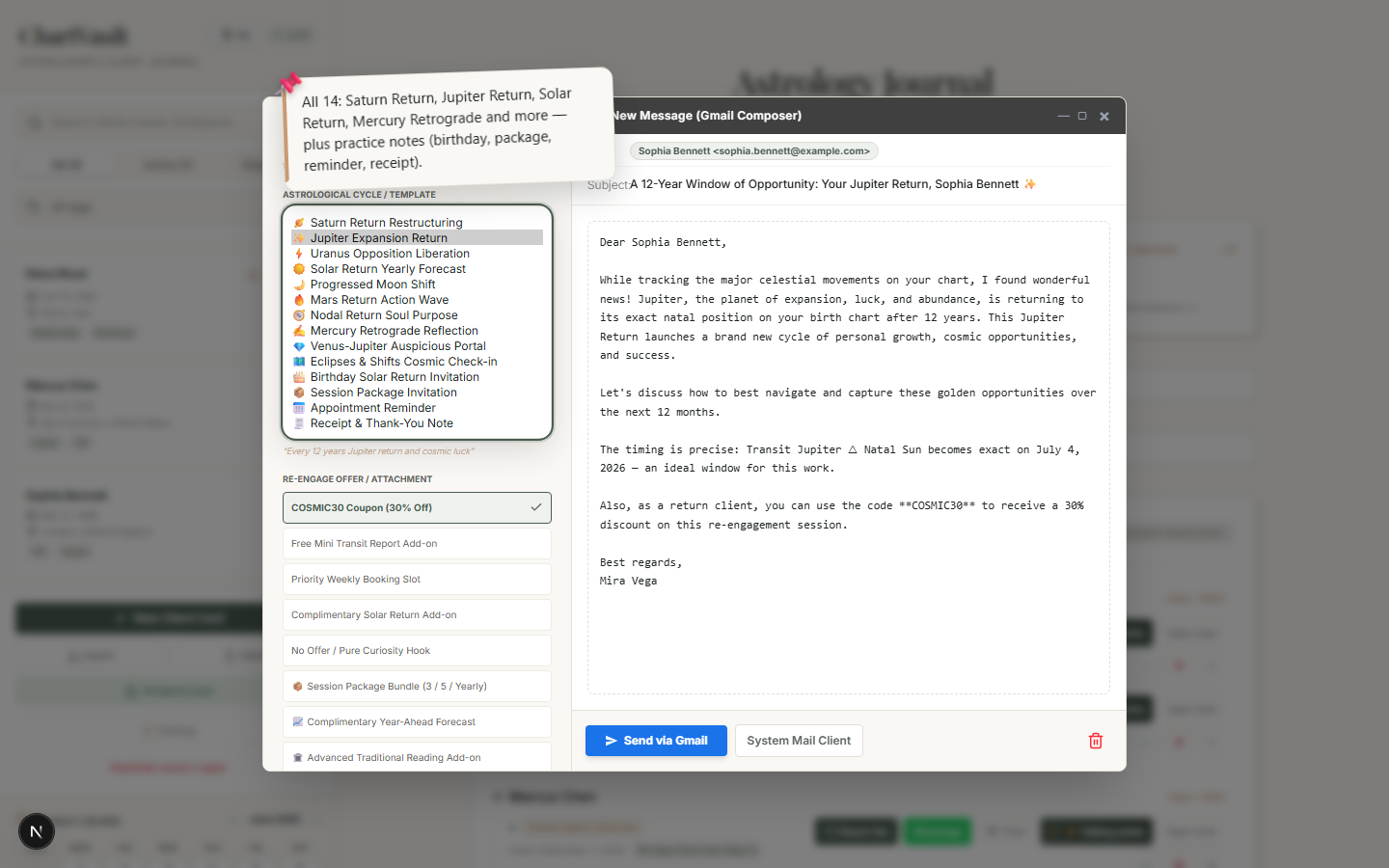
Every template and offer is fully translated into all supported languages, matching your interface language. You can also freely edit the text, or tap ✨ Draft with AI to rewrite it in your own voice.
Send it
- Send via Gmail opens a prefilled Gmail compose window.
- Or use your system mail client (mailto).
- ✨ Draft with AI can rewrite the message in your own voice before you send.
From alert to sent in seconds
The whole point of the core loop: the app tells you who to reach, picks the words, fills in the exact astrology, and hands you a ready draft. You stay in control of the final text — ChartVault removes the blank-page friction.